
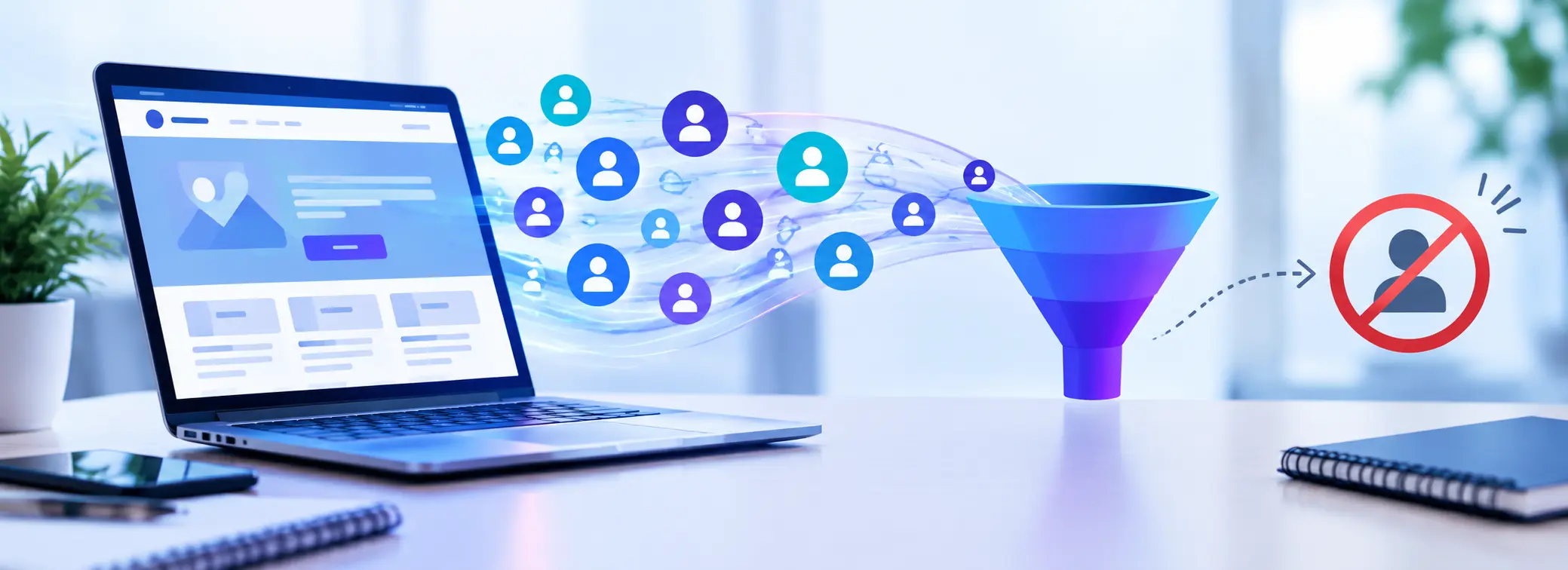
Your website is getting visitors, your SEO efforts are bringing traffic, and your marketing campaigns are generating clicks. But there is one problem: you are not receiving enough enquiries, quote requests, or potential customers.
If your website gets traffic but no leads, increasing your marketing budget may not be the right solution. The problem could be what happens after visitors land on your website.
A website should do more than attract visitors. It should help potential customers understand your services, build confidence in your business, answer their questions, and make it easy for them to get in touch.
In this guide, we will explore 12 common reasons why websites fail to generate leads and explain how to fix them to improve website conversions.
1. You Are Attracting the Wrong Website Traffic
More website traffic does not automatically mean more customers.
Your website might receive visitors from search engines, social media, or paid advertising, but that traffic may not match your target audience. Some visitors might be looking for free information, while others may need services you do not offer.
For example, a company offering professional WordPress development may attract visitors searching for free website templates. Although these visitors contribute to traffic numbers, they may have little interest in hiring a development team.
How to fix it:
- Identify the keywords your potential customers use when searching for your services.
- Focus on relevant, service-related search terms.
- Review the search queries and advertising campaigns bringing visitors to your website.
- Target appropriate locations, industries, and customer groups.
- Create landing pages that address specific customer needs.
Effective SEO is not just about attracting more visitors. It is about attracting visitors who are more likely to become customers.
2. Your Landing Page Does Not Match Visitor Intent
Imagine someone searches for website redesign services and clicks your advertisement. Instead of landing on a page explaining your redesign service, they arrive at a generic homepage with little relevant information.
They now have to search your website to find what they originally wanted. This disconnect between a visitor’s expectations and your landing page can reduce the chances of conversion.
How to fix it:
- Match your landing page content to the keywords and advertisements attracting visitors.
- Use a clear headline that reflects the visitor’s needs.
- Explain the relevant service and its benefits near the top of the page.
- Keep the next step easy to find.
- Remove unnecessary distractions that take attention away from the page’s primary goal.
For example, a Google Ads campaign promoting WooCommerce development should direct visitors to a relevant WooCommerce service page rather than a general homepage.
A relevant landing page helps visitors find what they need without unnecessary effort.
3. Your Website Does Not Clearly Explain Why Customers Should Choose You
Visitors may understand what your business offers but still have no compelling reason to choose you over your competitors.
Statements such as “We provide quality services” or “We are committed to excellence” do little to differentiate your business because almost every company can make similar claims.
Your website needs to communicate a clear value proposition.
How to fix it:
- Explain the specific problems your business solves.
- Highlight the benefits customers receive.
- Communicate what makes your approach different.
- Support your claims with relevant experience, examples, or genuine customer feedback.
- Make your value proposition visible on your homepage and key service pages.
For example, instead of simply saying you provide WordPress development, explain how your team can improve website usability, performance, security, and ongoing reliability.
The goal is to help potential customers understand not just what you do, but why your service is worth considering.
4. Your Website Does Not Build Enough Trust
Before contacting a business, potential customers often look for evidence that the company is credible, experienced, and capable of delivering what it promises.
If your website looks outdated, contains incomplete information, or lacks meaningful proof of your experience, visitors may hesitate to enquire.
This is especially important for businesses offering professional services, where customers may need to invest significant time or money.
How to fix it:
- Display genuine customer testimonials and reviews.
- Showcase relevant projects and case studies.
- Explain your experience and working process.
- Provide clear contact details and business information.
- Keep your website content accurate and up to date.
- Maintain website security and display an appropriate HTTPS connection.
Avoid unsupported claims or fabricated reviews. Genuine evidence of your work is more persuasive than exaggerated marketing statements.
A professional, trustworthy website gives potential customers more confidence in taking the next step.
5. Your Website Design Makes a Poor First Impression
Your website design influences how visitors perceive your business.
An outdated layout, inconsistent branding, cluttered pages, poor typography, or low-quality images can make your company appear less professional than it really is.
Even if your services are excellent, a poor website experience may prevent visitors from exploring them further.
How to fix it:
- Use a clean, consistent, professional design.
- Make navigation simple and intuitive.
- Use readable typography and appropriate spacing.
- Ensure your brand identity is consistent across important pages.
- Remove outdated content and unnecessary visual elements.
- Make your main services and contact options easy to find.
However, an attractive website alone will not guarantee more leads. Design improvements should support clear messaging, usability, credibility, and conversion goals.
If several aspects of your website are outdated or difficult to use, a professional website redesign may be worth considering.
6. Your Calls to Action Are Weak or Difficult to Find
A visitor may be interested in your services but leave without contacting you simply because the next step is unclear.
Your website should guide visitors towards an appropriate action instead of expecting them to figure out what to do.
Generic buttons such as “Learn More” may be suitable in some situations, but more specific wording can communicate the value of taking action.
How to fix it:
- Get a Free Website Review
- Request a Quote
- Book a Consultation
- Discuss Your Project
- Talk to Our Team
Place calls to action where visitors are likely to need them, including near the top of your homepage, on service pages, and after important explanations.
Choose wording that matches the commitment you are asking visitors to make. Someone who is still researching may prefer a free review, while someone ready to proceed may want to request a quote.
Make the next step clear without overwhelming visitors with too many competing buttons.
7. Visitors Have Unanswered Questions About Price, Process, or Results
Potential customers often leave a website because they cannot find enough information to make a decision.
They may wonder how much your service costs, what is included, how long the project will take, or what happens after they contact you.
When important questions remain unanswered, visitors may postpone their decision or approach a competitor who explains things more clearly.
How to fix it:
- Explain what your service includes.
- Describe your process and typical project stages.
- Provide pricing guidance or package information where appropriate.
- Answer frequently asked questions.
- Explain what information you need from prospective customers.
- Set realistic expectations about deliverables and timelines.
You do not need to publish an exact price for every service. For customised projects, explaining the factors that influence cost can still help visitors understand what to expect.
Clear information reduces uncertainty and makes it easier for potential customers to decide whether your service is right for them.
8. Your Website Creates Friction on Mobile Devices
A website may work well on a desktop computer but become frustrating to use on a smartphone.
Text that is difficult to read, buttons that are too small, menus that do not work properly, and forms that require excessive scrolling can discourage visitors from enquiring.
How to fix it:
- Use responsive web design across desktop, tablet, and mobile devices.
- Ensure text is readable without zooming.
- Make buttons easy to tap.
- Simplify navigation and contact forms.
- Avoid intrusive pop-ups that obstruct important content.
- Test the complete enquiry journey on different screen sizes.
Do not just check whether your website fits a mobile screen. Test whether someone can comfortably understand your service, find your contact details, and submit an enquiry.
A smooth mobile experience removes unnecessary barriers between visitors and your business.
9. Slow Loading Speeds and Technical Problems Are Losing Potential Leads
A slow website can frustrate visitors before they even see your services.
Technical issues can create even bigger problems. Broken links, failed forms, JavaScript errors, or checkout problems may prevent interested visitors from completing important actions.
Website speed and technical reliability should therefore be part of your conversion optimization strategy.
How to fix it:
- Compress and optimise large images.
- Review caching and hosting performance.
- Remove unnecessary plugins and scripts.
- Check important pages for broken links and errors.
- Test contact forms and other conversion-related functionality.
- Monitor relevant Core Web Vitals and fix significant issues.
Tools such as Google PageSpeed Insights can help identify performance opportunities.
Remember that a good performance score is not the final goal. The priority is to make your website faster, more reliable, and easier to use.
10. Your Contact Form Is Too Complicated
Imagine a visitor is ready to enquire about your service but finds a form asking for their full address, company size, budget, project timeline, and several other details before they can submit it.
Some visitors may decide it is not worth the effort. A complicated contact form can create unnecessary friction at the exact moment you want a potential customer to take action.
How to fix it:
- Request only the information you genuinely need at the first stage.
- Keep form labels and instructions clear.
- Make fields easy to complete on mobile devices.
- Display helpful error messages.
- Confirm successful submissions clearly.
- Test that enquiries reach the correct inbox.
You can collect additional project details during a follow-up conversation rather than asking every visitor to complete a lengthy form immediately.
Also, check that your contact form actually works. A form that appears functional but silently fails can result in lost business opportunities.
11. You Are Not Following Up on Enquiries Effectively
Not every website conversion ends with a completed sale. In many businesses, the website generates an enquiry, and the sales process begins afterwards.
If enquiries are overlooked, responses are delayed, or prospective customers do not receive clear next steps, potential business may be lost even when the website is doing its job.
How to fix it:
- Ensure website enquiries reach the right person.
- Establish a consistent process for responding to new leads.
- Send a clear confirmation after an enquiry is submitted.
- Follow up appropriately when a prospective customer needs more information.
- Track how many enquiries progress into qualified opportunities and customers.
A useful distinction is that a website can generate leads without generating sales. If enquiries are coming in but customers are not converting, review lead quality, pricing, sales conversations, and follow-up rather than assuming the website design is the problem.
12. You Are Not Measuring Where Potential Customers Drop Off
Without conversion tracking, you may know how many people visit your website but have little understanding of why they do not enquire.
For example, a service page might receive considerable organic traffic but produce very few contact requests. Another page might attract fewer visitors but generate more qualified leads.
These differences can help you decide where improvements are most valuable.
How to fix it:
Use tools such as Google Analytics 4 and Google Search Console to understand your website’s performance.
Monitor:
- Traffic sources and search queries.
- Landing-page engagement.
- Contact form submissions.
- Phone calls and other enquiries where measurable.
- Conversion rates across important landing pages.
- The quality of leads generated by different marketing channels.
Make sure conversion events are configured correctly and test that they record real actions accurately.
Do not rely on a single metric such as bounce rate to judge whether a page is successful. A visitor may find the information they need on one page without exploring further.
Use the data to identify genuine problems, test improvements, and evaluate whether those changes lead to more meaningful enquiries.
How to Identify What Is Preventing Your Website From Generating Leads
If your website receives traffic but produces few enquiries, avoid changing everything at once. Start by identifying where potential customers may be getting stuck.
Use this checklist to review the most important areas of your website.
| What to check | Questions to ask |
|---|---|
| Traffic quality | Are visitors searching for the services you actually provide? |
| Landing pages | Does the page match the visitor’s search or advertisement? |
| Messaging | Can visitors quickly understand your value? |
| Trust | Is there genuine evidence of your experience and credibility? |
| Design and usability | Is your website easy to navigate and understand? |
| Calls to action | Is the next step clear and relevant? |
| Pricing and process | Have you answered the questions that prevent a decision? |
| Mobile experience | Can visitors easily browse and enquire on a phone? |
| Performance | Are important pages and forms working properly? |
| Follow-up | Are enquiries reaching the right person and receiving a response? |
| Analytics | Can you measure meaningful enquiries and identify drop-off points? |
Start with issues that prevent visitors from understanding your offer or completing an enquiry. Then review less critical improvements based on your data.
You may not need a complete website rebuild. In some cases, targeted changes to messaging, landing pages, forms, and performance can address the main barriers.
Does Your Website Need Optimisation or a Complete Redesign?
Not every website that struggles to generate leads needs to be redesigned from scratch.
If your website has a good foundation but suffers from slow loading, unclear calls to action, or weak service content, targeted website optimization may be enough.
However, a redesign may be worth considering if your website has several connected problems, such as outdated branding, poor mobile usability, confusing navigation, an inconsistent user experience, and a weak conversion journey.
A professional website review can help you identify which problems matter most and prioritise improvements based on your business goals.
At AVIZ Innovation, we focus on making websites work better for the businesses behind them. Our WordPress and WooCommerce services cover website redesign, development, speed optimization, SEO, security, and ongoing maintenance.
With 17+ years of experience and 4,000+ websites delivered, we understand the importance of combining professional design with performance, usability, and business-focused improvements.
Final Thoughts
If your website gets traffic but no leads, investing more in marketing is not always the answer.
Your website needs to attract the right audience, communicate a clear value proposition, build trust, answer important questions, and make it easy for visitors to take action.
Start by reviewing your traffic quality, landing pages, messaging, calls to action, mobile usability, and enquiry process. Use analytics to understand where visitors drop off and prioritise the changes most likely to improve results.
Most importantly, remember that website success is not measured by traffic alone. It is measured by how effectively your website supports your business goals.
Is Your Website Attracting Visitors but Failing to Generate Enquiries?
Get a fresh perspective on what could be holding your website back.
Get a Free Website Review from AVIZ Innovation to identify opportunities to improve your website’s design, performance, user experience, and lead generation.
Leave a Reply